

Think about the last time you bought something online that cost more than a few pounds. Did you read every bullet point? Probably not. You most likely scrolled down, looked at the pictures, and checked whether the product seemed right for you.
That scroll is where A+ Content does its work. It is the section of a product page filled with large images, short text and charts, and it often decides whether a shopper clicks “Add to Basket” or goes back to search. If you are working on Amazon listing optimisation UK for your products, this is one of the best places to put your time. This guide explains who can use A+ Content, which layouts to pick, how to tell your brand story and what to test.
What Is A+ Content?
A+ Content (once called Enhanced Brand Content) is the extra section on your product page, below the bullet points and above the reviews. Instead of a plain block of text, you can build it from ready-made modules that mix images, headings, short paragraphs and tables.
It does three jobs. It shows the product in more detail than the main images can. It answers questions before shoppers ask them. And it makes your brand look more trustworthy. Many brands report better conversion after adding it, though results depend on the product and the quality of the content.
Who Can Use A+ Content? The Eligibility Requirements
Not every seller can use A+ Content. These are the main requirements:
- You need to be enrolled in Amazon Brand Registry. This is the biggest one. It means you own a registered or pending trademark that Amazon accepts for the UK marketplace.
- You must be the verified owner of the brand for the products you want to add content to. Resellers of other people’s brands usually cannot create A+ Content.
- The product must be listed under your brand name in the Amazon catalogue.
- You create the content in Seller Central (or Vendor Central) using the A+ Content Manager, which sits under the Advertising menu.
There is also a Premium version with larger, richer modules such as video and interactive features. Amazon sets extra requirements for it, often tied to how many ASINs already have approved A+ Content. These rules change from time to time, so check the A+ Content Manager in your own account for the current ones.
Once you submit your content, Amazon reviews it. This can take a few days, so do not leave it to the last minute before a busy sales period.
Rules Amazon Expects You To Follow
Amazon is strict about what goes into A+ Content. Leave out the following:
- Prices, discounts or “limited time” offers.
- Claims such as “best seller” or “number one”.
- Customer reviews or quotes.
- Contact details, website links or social media handles.
- Comparisons that name competitor brands.
- Claims you cannot prove, especially health claims.
Content that breaks the rules is rejected, and you will need to fix it and send it again.
Picking The Right Layout
Amazon gives you a library of modules. You do not have to use all of them. A good rule is to choose modules that answer the questions shoppers ask most. Here are the common ones and when they help:
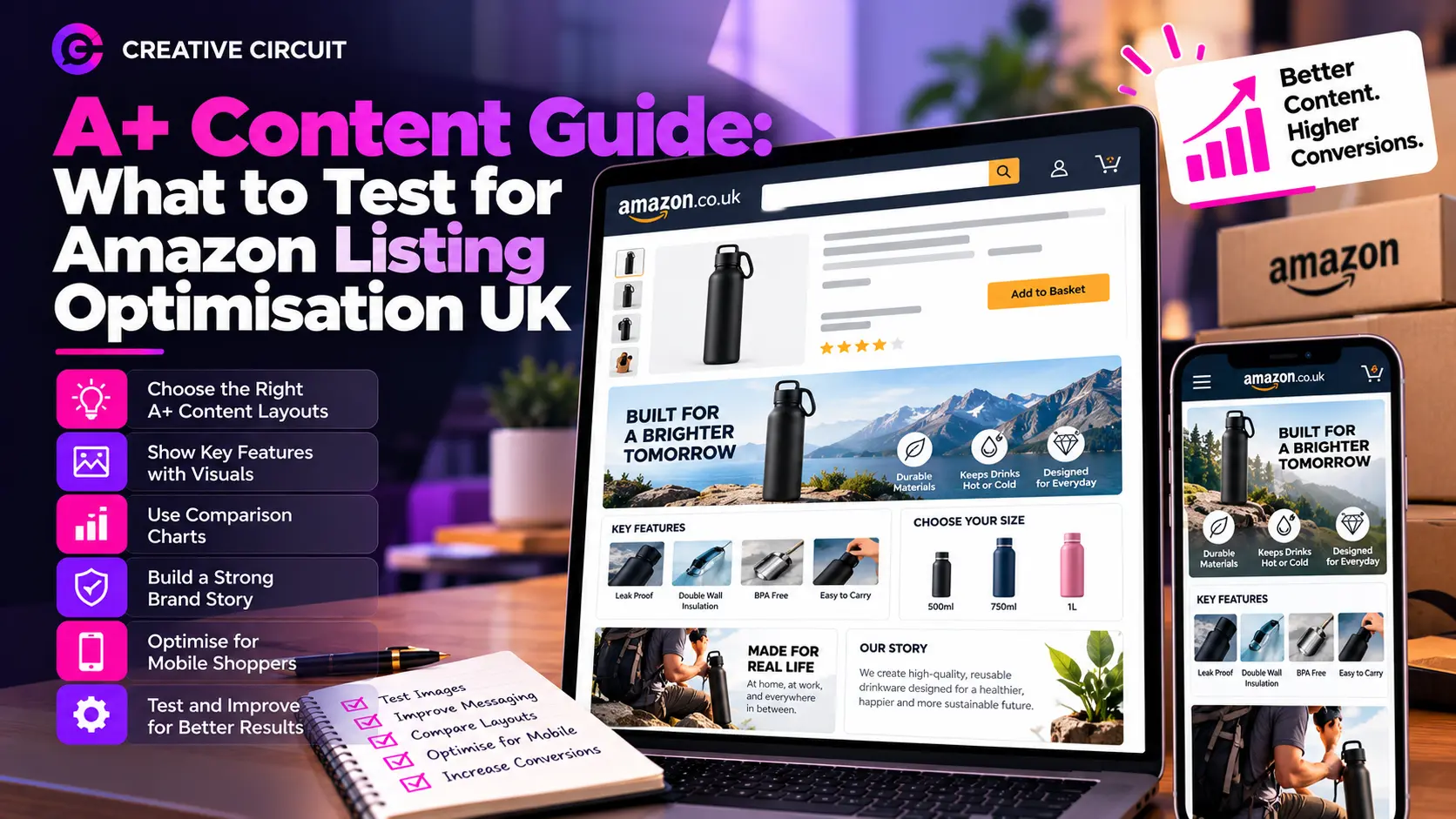
- Header image with text: A big opening image and a short message. Use it to show the product in real life and say who it is for.
- Image with highlights: One image next to a few key points. Good for explaining the main features.
- Four-image quadrant: Four small images with short captions. Useful for showing different uses, colours or details.
- Comparison chart: A table that compares several of your own products. This helps shoppers pick the right size or model and is a great way to cross-sell.
- Technical specifications: A tidy table of sizes, materials and other facts. Handy for electronics, tools and anything with measurements.
- Brand story: A section that introduces your company. More on that below.
For a simple product, three or four modules are plenty. For a complex product, add a comparison chart and a specification table. Shorter is usually better than longer.
Telling Your Brand Story
The Brand Story module sits near the top of the A+ section as a row you can scroll through. It usually includes your logo, a short paragraph about who you are, and a few images of your other products.
Many brands waste this space by writing about how great they are. A better approach is to answer a simple question: why should someone trust you? Here are some ideas:
- Tell how the brand started, in two or three plain sentences.
- Explain what you care about, such as materials, safety or sustainability, and give a real example.
- Show your range with clear pictures so shoppers can click through to other products.
Keep it short. Nobody wants to read a company history on a product page. A brand story that is warm, clear and honest does more than one stuffed with big claims.
Making A+ Content Work On Mobile
Most UK Amazon shoppers browse on their phones. That changes how you should design.
- Use large, simple text on images. Small text becomes impossible to read on a narrow screen.
- Keep each image focused on one idea.
- Check how the page looks in the mobile preview before you submit.
- Do not repeat the same information as the bullet points. Add something new.
What To Test
Most brands upload A+ Content once and never look at it again. That is a missed chance. If your brand is registered, Amazon has a tool called Manage Your Experiments that lets you split-test your content. Half of your shoppers see version A and half see version B, and Amazon tells you which one sold better.
Here are some things worth testing:
- The first image: A lifestyle photo against an infographic.
- Text amount: Short captions against more detailed explanations.
- Module order: Putting the comparison chart at the top against the bottom.
- Brand story: Including it against leaving it out.
- Comparison chart design: Different ways of showing which product suits which person.
A few tips will help your tests give honest results:
- Change one thing at a time. If you change five things, you will not know which one made the difference.
- Run the test long enough. Amazon runs experiments for several weeks, and short tests can be misleading.
- Test on products with steady traffic. A product that gets a handful of visits will not give clear results.
- Write down what you learn, and use it on your other products.
Common Mistakes To Avoid
- Copying text straight from the bullet points.
- Using too many words and too few pictures.
- Filling every module just because it is there.
- Using images with a lot of tiny text.
- Forgetting to update content when the product changes.
- Skipping the mobile preview.
How A+ Content Fits Into The Bigger Picture?
A+ Content works best when the rest of your listing is solid. If your title is confusing or your main image is weak, shoppers may never scroll far enough to see it. Many brands look for Amazon product listing services UK teams to handle the whole page together, from keyword research and titles to images and A+ Content, so each part supports the others.
Also note that A+ Content itself is not a big search ranking factor, but it can improve conversion, and better conversion tends to help your product perform well over time. Just as important, if you are searching for Amazon listing optimization UK support, ask the provider how they decide what to test and how they measure results.
Final Thoughts
A+ Content is a free way for registered brands to show their products properly. Check you are eligible through Brand Registry, choose layouts that answer real shopper questions, keep your brand story short and honest, and test one change at a time. Small improvements add up across a whole catalogue.
If you would like expert help with Amazon listing optimisation UK, a trusted team can plan the layouts, write the content and set up your tests, so your pages keep getting better. Start with your best-selling product, learn from the results, and take that knowledge to the rest of your range.
