

Here is a story that happens more often than you would think. A seller spends months finding a product, orders a few hundred units, and sends them to Amazon. Then the listing gets stuck because the barcodes did not match, the stock sits in a warehouse with no ads running, and the first month brings almost no sales. The product was fine. A few steps were done in the wrong order.
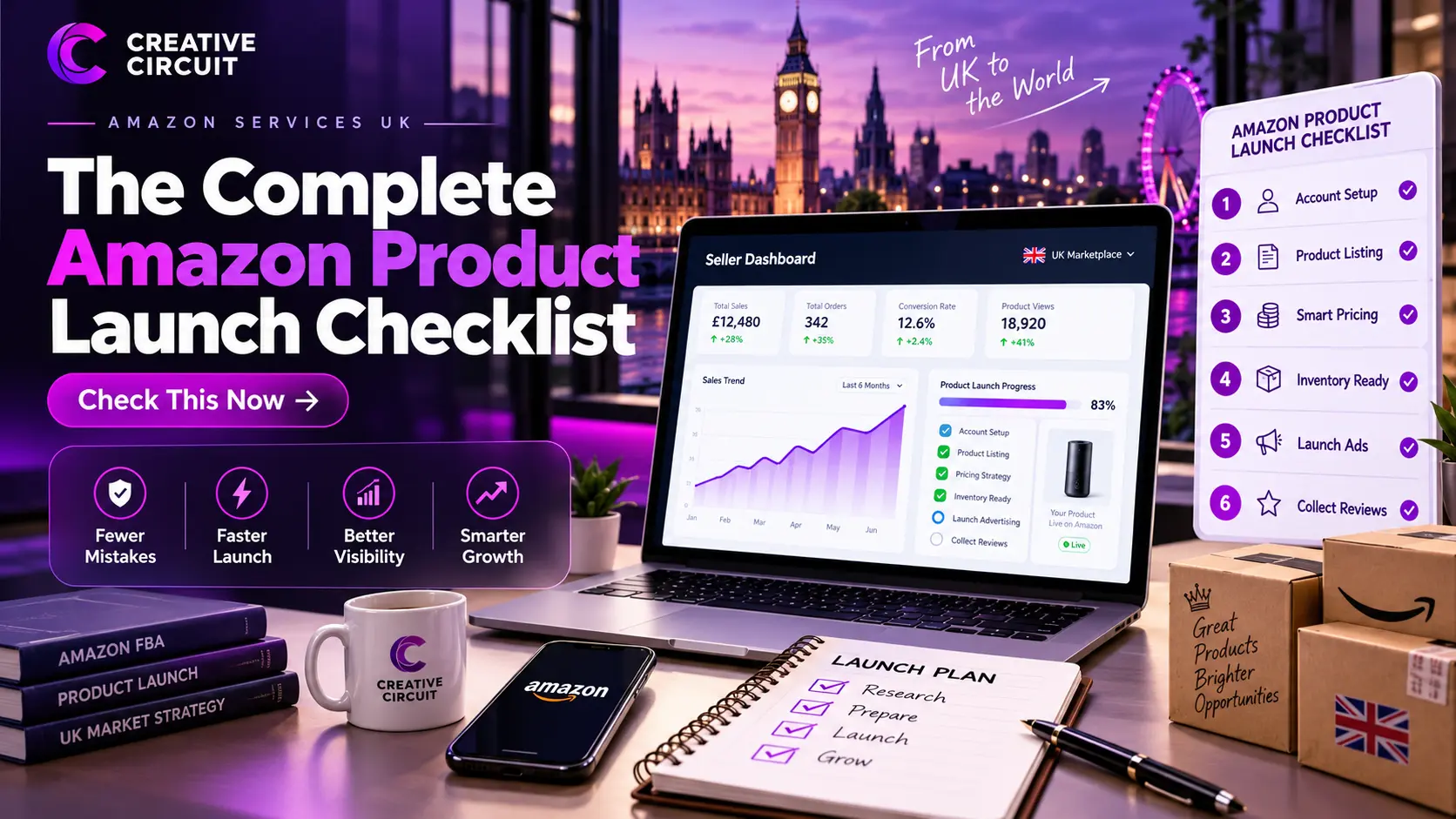
A launch on Amazon is a bit like packing for a trip. If you pack in the right order, everything fits. If you throw things in at random, you forget your passport. This checklist walks you through each stage in the order that makes sense, and it also shows where Amazon services UK providers can save you time if you get stuck.
Before You Start: Check The Basics
Spend an hour on these before you open an account. They are boring, but they prevent the biggest delays.
- Barcodes: Most products need a GS1 barcode (called a GTIN). Buying cheap barcodes from resale sites can cause problems later, so get them from GS1 UK.
- Safety rules: Toys, electricals, cosmetics and many other items need safety marks and paperwork. Check what applies to your product in the UK before you order stock.
- Brand name: If you have a brand, think about applying for a trademark. Amazon Brand Registry needs one, and it unlocks tools like A+ Content and brand stores.
- Your numbers: Work out your product cost, shipping, Amazon fees and the profit you want. You will need this for pricing and ads later.
Step One: Set Up Your Seller Account
Your account is your foundation, so take your time here.
- Choose between an individual and a professional plan. If you plan to sell more than a handful of items a month, the professional plan is usually the better fit. Check Amazon’s current fees before you decide.
- Keep your documents ready. Amazon will ask for ID, proof of address, a bank account, a credit card and your business details. Make sure every name and address matches exactly across all of them.
- Complete the identity check carefully. Small spelling mistakes are a common reason for delays.
- Think about VAT. If you are VAT registered, add your number to the account. If you are not sure whether you need to register, ask an accountant.
- Set up two-step verification to keep your account safe.
Many sellers rush this step and end up with a locked or paused account. Slow and accurate is better than fast and wrong. If the process feels confusing, Amazon seller services UK teams can handle the setup and make sure nothing is missed.
Step Two: Build Your Product Listing
Your listing is what turns a visitor into a buyer, so it needs to be ready before any stock or ads go live.
- Title: Say what the product is, who it is for and one or two key details like size or pack count. Keep it easy to read.
- Bullet points: Answer the real questions shoppers ask. Look at reviews on similar products to find them. Start each bullet with the main benefit.
- Images: You need a clean main photo on a white background. Add images that show size, close-ups, how to use it and the product in a real setting. Aim for at least six or seven if you can.
- Description or A+ Content: Tell the story of the product in simple words. If you are brand registered, A+ Content lets you add comparison charts and extra images.
- Backend search terms: Add words shoppers might use that are not already in your title or bullets. Do not repeat words, and leave out brand names that are not yours.
- Category and details: Pick the right category and fill in every field you can, such as material, colour and size. Missing details can hurt your visibility.
Ask a friend or family member to read your product listing without any help from you. If they have questions after reading it, your listing is missing something.
Step Three: Set A Smart Price
Pricing is not about being the cheapest. It is about being fair and still making a profit.
- Look at the main competitors in your category. Note their prices, delivery options and review counts.
- Add up all your costs: product, shipping to the UK, Amazon referral fee, fulfilment fee, storage and returns.
- Decide how much profit you need on each sale after ads. If there is nothing left once you pay for clicks, the price is too low.
- Think about a small launch offer, such as a coupon or a modest discount for the first few weeks. A lower starting price can help you get early sales, which helps your ranking. Just make sure you can afford it.
Do not start with a price so low that you cannot raise it later. Customers notice, and it is hard to move up once they have seen a bargain.
Step Four: Get Your Inventory Ready
Stock is where mistakes cost real money.
- Decide how you will fulfil orders. With Fulfilled by Amazon (FBA), Amazon stores, packs and ships for you, and your product can show the Prime badge. With Fulfilled by Merchant (FBM), you handle it yourself.
- If you use FBA, follow Amazon’s labelling and packaging rules exactly. Wrong labels can cause stock to be rejected or delayed.
- Send a sensible amount for the first batch. You want enough to avoid running out, but not so much that your cash is stuck in a warehouse. Many new sellers start small, then reorder once sales data comes in.
- Plan for transport time. Stock from overseas can take weeks to arrive and be checked in, so order early.
- Set a reminder to check stock levels every week. If you sell out, your ranking can drop quickly.
Step Five: Switch On Your Ads
Once your stock is live and your listing is ready, ads help people find you while you have no reviews or sales history.
- Start with Sponsored Products. They are the easiest to manage and the most common launch choice.
- Run one automatic campaign so Amazon can show you which search terms bring clicks and sales.
- Add a manual campaign using the words that work. This gives you more control over what you pay.
- Set a daily budget you are comfortable losing in the first few weeks. Treat it as the cost of learning what works.
- Add negative keywords. These stop your ad showing for searches that are not relevant and waste your money.
- Check results every few days at first. Pause what does not work and put more money into what does.
Do not judge your ads after two days. It takes time for data to build up. At the same time, do not let a bad campaign run for weeks without looking at it. Businesses that want help here often look for Amazon marketing services UK providers who can manage campaigns and explain the numbers in plain words.
Step Six: Collect Reviews The Right Way
Reviews build trust, and trust leads to sales. But Amazon has strict rules, and breaking them can get your account closed.
- Never pay for reviews, offer free products in return for good ratings, or ask friends and family to leave fake ones.
- Use the “Request a Review” button in Seller Central. It sends an approved message to customers a few days after delivery.
- Add a friendly insert card in your packaging that thanks the customer and invites them to share honest feedback. Do not ask for only five stars.
- If you are brand registered, look into the Amazon Vine programme, which lets trusted reviewers give honest opinions on new products.
- Respond to problems quickly. Many bad reviews come from small issues that customer service could have fixed.
The best way to earn good reviews is simple: a product that does what the listing says, delivered on time.
When Extra Help Makes Sense
You can do all of this alone, and many sellers do. But juggling a listing, ads, stock and reviews can feel like a full-time job. If you are short on time, launching several products, or not seeing results, support from Amazon management services UK specialists can take much of the weight off your shoulders. A good partner will explain what they are doing, share clear reports and tell you honestly when something is not worth the money.
Final Thoughts
A good Amazon launch is not about luck. It is about doing the right things in the right order: set up your account properly, build a clear listing, price with your profit in mind, prepare your stock, run careful ads and earn honest reviews. Follow this checklist, stay patient and let your data guide each decision.
If you want a hand at any stage, the right Amazon services UK partner, like Creative Circuit can help you launch with fewer mistakes and a lot less stress. Start with the basics, take one step at a time, and your product will have a much better chance of standing out.